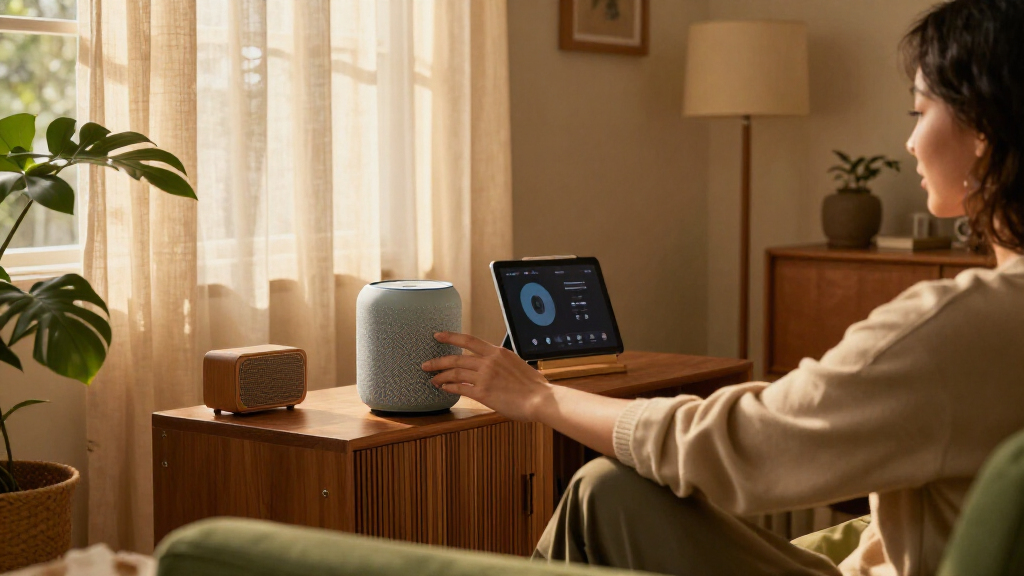

When choosing a smart display for the living room, the real question is whether you want a screen that can also anchor a broader Alexa setup or a simpler screen for Google services and everyday voice control. The Amazon Echo Show 8 (3rd generation) costs more, but gives you a larger display, video calling, and a built-in Zigbee hub. The Google Nest Hub (2nd generation) skips the camera, costs less, and suits people who mostly want voice help, music, and a glanceable screen. Both can control compatible smart devices, but they favor different ecosystems and routines. Choose the Echo Show 8 if you want more built-in hardware and expect to expand your Alexa setup; choose the Nest Hub if Google services, a camera-free design, or a lower purchase price matter more.

Get furniture and decor delivered free with Prime
- Fast, free delivery on millions of items
- Prime Video, Amazon Music and more included
- Member-only deals all year

Amazon Echo Dot Max Smart Speaker with Alexa, Graphite
- ✔ Drivers: 1 x 0.8 in tweeter; 1 x 2.5 in woofer
- ✔ Audio bandwidth: 53 Hz–16 kHz at volume 6
- ✔ Smart home hub: Zigbee, Matter and Thread Border Router

Govee RGBIC LED Floor Lamp, 1,000 Lumens
- ✔ Height: 53.7 inches
- ✔ Maximum brightness: 1,000 lumens
- ✔ Lighting: RGBIC LED; 16 million colors

Blink Mini 2K+ Indoor Security Camera, Black
- ✔ Video resolution: 2K (2560 x 1440)
- ✔ Field of view: 138° diagonal
- ✔ Zoom: Up to 4x
At a Glance
| Criteria | Amazon Echo Show 8 (3rd generation) | Google Nest Hub (2nd generation) | Winner |
|---|---|---|---|
| Screen and living room visibility | 8-inch touchscreen; larger and easier to see from across a typical room | 7-inch touchscreen; compact and suited to close viewing on a shelf or counter | A |
| Smart home control | Alexa control plus built-in Zigbee hub; supports Matter and Thread border router features | Google Home control for compatible devices; no built-in Zigbee hub | A |
| Voice assistant and services | Alexa, with Amazon services and broad Alexa-compatible device support | Google Assistant, with strong integration for Google services | Depends |
| Video calls and camera | 13 MP camera with video calling; useful for calls and remote viewing features | No camera; no camera-based video calls | A |
| Music and entertainment | Larger display and stereo speakers; supports video and common streaming services | Good for music, photos, and video snippets; smaller screen and less room-filling audio | A |
| Privacy and placement | Camera can be covered; more hardware and features may call for more setup | Camera-free by design; sleep sensing is intended for bedside use and may be less relevant in a living room | B |
| Purchase value | Higher upfront cost; worthwhile if you will use the camera, hub, or larger screen | Lower purchase price; better value if you need basic voice control and a screen | Depends |
Amazon Echo Dot Max Smart Speaker with Alexa, Graphite
The Echo Dot Max earns the leading spot by combining a useful living-room speaker with a hub for compatible smart home devices. Its woofer and tweeter, deep bass and automatic room adaptation make it more than a voice-control puck: it is designed to serve as an everyday audio device in the space where people gather. The built-in support for Zigbee, Matter and Thread is its bigger advantage over both other picks. Govee and Blink can be controlled with Alexa, but neither replaces the Echo as a multi-protocol hub.That broader role is most compelling when we are starting to connect lighting, sensors and other compatible devices. Ambient presence, light and temperature sensing may also help the room respond to conditions, though the details of any routines depend on the wider setup. The microphone disable control and other privacy controls offer a way to manage voice access, an important consideration for a device intended to remain in a shared space.There are limits to its networking promise. eero Built-in can extend compatible eero coverage, but requires an eero router, account linking and app setup; the extension supports up to 10 connected devices in the 5 GHz band. We should treat it as a bonus for an existing eero household, not a universal mesh upgrade. Compared with Govee’s focused ambient lighting and Blink’s camera view, the Echo is less specialized at either, but it is the most versatile starting point for a living room.
Pros:
- Room-adapting audio with a woofer and tweeter for music and everyday listening.
- Built-in Zigbee, Matter and Thread hub broadens its role beyond the Govee lamp and Blink camera.
- Presence, ambient temperature and ambient light sensors support context-aware smart home setups.
- Microphone disable control and other privacy controls help manage voice access.
Cons:
- eero extension requires a compatible router, account linking and setup in the eero app.
- The eero extension is limited to 10 connected devices in the 5 GHz band.
- Hands-free voice control is not supported for Mac OS X devices.
Best for: Households that want Alexa audio and a central hub for compatible Zigbee, Matter and Thread devices.
Not ideal for: People seeking a dedicated lighting effect or indoor camera, or anyone expecting eero extension without compatible eero equipment.
Bottom line: For a living room that needs one flexible Alexa speaker and smart home hub, the Echo Dot Max is the strongest overall choice, provided its eero feature matches our network.
“For a living room that needs one flexible Alexa speaker and smart home hub, the Echo Dot Max is the strongest overall choice, provided its eero feature matches our network.”
Govee RGBIC LED Floor Lamp, 1,000 Lumens
When the room already has a voice assistant or hub and what it lacks is a more expressive light source, the Govee RGBIC LED Floor Lamp has a clear job. Its segmented RGBIC lighting can show multiple colors at once, giving us more visual range than a conventional single-color lamp. With up to 1,000 lumens and adjustable lighting, it can contribute both to the room’s everyday feel and to more colorful scenes for a movie night, music or gaming session.Its 85 dynamic modes and audio synchronization make this the most mood-focused pick in the lineup. We can control it in the Govee Home app or by voice through Alexa and Google Assistant. That assistant compatibility gives it some overlap with the Echo, but it does not offer the Echo’s Zigbee, Matter or Thread hub functions, nor Blink’s monitoring features. The lamp is best understood as an addition to a living-room setup, not its control center.Placement is straightforward in principle: it is a freestanding, corded floor lamp, and can be moved between rooms. Yet it still needs a nearby outlet and space for its 53.7-inch form. The 2.4 GHz-only Wi-Fi requirement may complicate setup on networks that steer devices across bands, while the lack of an included remote makes the app or voice control more central. Compared with the Echo, it adds a stronger visual effect but less smart home breadth; compared with Blink, it changes the room rather than watching it.
Pros:
- RGBIC segments can display several colors at the same time.
- Up to 1,000 lumens and adjustable colors support both ambient and more expressive lighting.
- Offers 85 dynamic scenes and music or gaming audio sync.
- Works with Alexa and Google Assistant and can be moved between rooms.
Cons:
- Connects over 2.4 GHz Wi-Fi only.
- No remote control is included, so app or voice access is needed for control.
- Corded floor placement requires an outlet and enough room for its 53.7-inch height.
Best for: People who want colorful, adjustable accent lighting and app or voice control for a living room.
Not ideal for: Buyers who need a smart home hub, a camera, a physical remote, or a lamp that works outside 2.4 GHz Wi-Fi.
Bottom line: Pick the Govee when atmosphere is the living room’s main gap; choose the Echo instead if our priority is coordinating a wider smart home.
“Pick the Govee when atmosphere is the living room’s main gap; choose the Echo instead if our priority is coordinating a wider smart home.”
Blink Mini 2K+ Indoor Security Camera, Black
The Blink Mini 2K+ is the specialist choice for households that want a view of the living room while away or a way to check activity in the space. It records 2K video, offers a 138-degree diagonal field of view and supports up to 4x zoom. Those details can help us see more of a room from a compact camera, though the actual view still depends on placement. The included stand and mounting hardware offer options for positioning it on furniture or mounting it.Two-way audio with noise cancellation lets us communicate through the camera, and Alexa compatibility allows it to sit alongside the Echo in a voice-controlled setup. Blink can also serve as a chime for a Blink Video Doorbell. That makes it a useful complement to the Echo rather than a replacement: the Echo handles sound and device coordination, while Blink adds a visual check-in. Unlike the Govee, its contribution is security and visibility, not room ambiance.We should account for both network and service requirements before choosing it. The camera is plug-in only and uses 2.4 GHz Wi-Fi, so placement is constrained by outlets and signal. Person and vehicle detection, as well as cloud storage, require additional products or services; these capabilities should not be assumed from the camera alone. Outdoor use also needs a separately sold weather-resistant adapter. For a living-room roundup, Blink’s narrower purpose and those dependencies place it behind the broader Echo and the more immediately expressive Govee, but it is the clearest pick when indoor monitoring is the need.
Pros:
- 2K video, a 138-degree diagonal field of view and up to 4x zoom provide a flexible indoor view.
- Two-way audio includes noise cancellation.
- Compact camera includes a stand, mounting screws, power adapter and USB-C cable.
- Works with Alexa and can act as a Blink Video Doorbell chime.
Cons:
- Requires a power outlet and 2.4 GHz Wi-Fi, limiting placement flexibility.
- Person and vehicle detection and cloud storage require additional products or services.
- Outdoor use needs a separately sold weather-resistant power adapter.
Best for: Households that want a compact plug-in camera for viewing living-room activity and using two-way audio.
Not ideal for: People who do not want a camera in a shared room, need an untethered placement, or expect person detection and cloud storage without added services.
Bottom line: Choose Blink when monitoring is the specific living-room job; the Echo is more versatile for everyday control, while the Govee is better for changing the room’s mood.
“Choose Blink when monitoring is the specific living-room job; the Echo is more versatile for everyday control, while the Govee is better for changing the room’s mood.”
As an Amazon Associate we earn from qualifying purchases.
Key Differences
The biggest practical difference is how much each display can do without additional hardware. Echo Show 8 has a larger screen and a Zigbee hub built in, so it can serve as a more capable Alexa control point. That is useful when you want to see device controls, make video calls, or add compatible Zigbee devices without buying a separate hub. The Nest Hub handles routine Google Home controls well, but it does not include that hub or a camera. Its simpler design can be a better fit when you want a shared screen for timers, music, photos, and voice requests rather than a central smart home station.
The assistant ecosystem can matter more than the specification sheet. Nest Hub is a natural match for people who rely on Google services and already use Google Home. Echo Show 8 makes more sense for households with Alexa devices or Amazon services. Neither is a universal controller for every device: check that your specific lights, plugs, locks, and other products work with the platform you plan to use. Both support Matter, but the Echo Show 8’s additional Zigbee and Thread features make it more flexible for some compatible setups. The Nest Hub’s camera-free design is a distinct advantage for households that prefer not to put a camera in a shared room.
Price should be judged against features you will actually use. If you will make video calls, want the larger screen, or plan to connect compatible Zigbee devices, the Echo Show 8 can justify paying more. If those uses are unlikely, the Nest Hub offers a more economical way to get voice control and a screen. Its sleep sensing is mainly a bedroom feature, so it should not be treated as a major living room advantage. Choose based on your services, devices, and everyday routines rather than assuming the more capable display is automatically the better buy.
Detailed Comparison
Screen and living room visibility (Amazon Echo Show 8 (3rd generation) wins — moderate)
The Echo Show 8 wins by a moderate margin: its 8-inch screen gives controls, photos, and video more room and makes them easier to see from farther away. The Nest Hub’s 7-inch screen takes up less space and works well on a side table or small shelf, but it feels more limited when several people want to glance at it from around the room. For a shared living room display, the extra inch is useful; for a compact spot used at close range, the gap matters less.
Smart home control (Amazon Echo Show 8 (3rd generation) wins — major)
The Echo Show 8 has the stronger built-in hardware, a major advantage for households planning to add compatible devices. Its Zigbee hub can connect supported products directly, and its Matter and Thread features broaden its role in some modern setups. Nest Hub offers Google Home controls and Matter support, but lacks Zigbee. That means the Google option may need a separate compatible hub for some devices. If your current setup is already Google-based and your products work with it, the difference may be minor; if you are building an Alexa setup around Zigbee devices, Echo Show 8 wins clearly.
Voice assistant and services (major difference)
This is a genuine ecosystem choice, so the winner depends on the household. Nest Hub is the better fit for people who use Google services and want Google Assistant routines and answers. Echo Show 8 suits users who already rely on Alexa and Amazon services. Switching assistants can add friction, since device compatibility, routines, and familiar voice commands vary. Before buying, check the services and smart devices you use most often. If either assistant already runs the home, staying with it usually matters more than a small difference in screen features.
Video calls and camera (Amazon Echo Show 8 (3rd generation) wins — major)
Echo Show 8 wins by a major margin if video calling from the living room matters: it has a 13 MP camera, while Nest Hub has no camera and cannot provide camera-based video calls. The Echo can make the device more useful for keeping in touch, although a camera may be unwelcome in a shared space. Its camera cover gives you a way to block the lens when desired. If you do not make calls from a smart display, this advantage offers little reason to pay extra.
Music and entertainment (Amazon Echo Show 8 (3rd generation) wins — moderate)
Echo Show 8 is the stronger all-round living room entertainment display, with a larger screen and stereo speakers that suit casual video and music. Nest Hub can play music, show photos, and display supported video content, but its smaller screen is less suited to watching from across the room. The difference is moderate, not a replacement for a television or dedicated speaker. If you mainly want a screen for recipes, timers, and quick clips, either can work; if the display will regularly play video or music, Echo Show 8 is the better match.
Privacy and placement (Google Nest Hub (2nd generation) wins — moderate)
Nest Hub wins for households that want a camera-free device in a shared room. The Echo Show 8’s camera can be covered, but it still adds a camera and requires a little more thought about placement and household comfort. Nest Hub’s sleep sensing is designed for bedside use, so it does not add much value in a typical living room. For buyers who specifically want no camera, Nest Hub is the clear choice. For buyers comfortable with a covered camera, Echo’s calling features may outweigh that concern.
Purchase value (moderate difference)
Nest Hub offers better value for basic voice assistance, music, photos, and Google Home controls because it costs less and still covers those everyday jobs. Echo Show 8 is worth the premium when its larger screen, camera, Zigbee hub, or Alexa ecosystem will see regular use. Paying more for features that will sit idle is poor value; paying more to avoid a separate hub or to get a display for frequent calls may be sensible. The winner depends on the buyer’s planned use.
Amazon Echo Show 8 (3rd generation): Pros and Cons
Pros:
- Larger display is easier to see across a living room
- Built-in Zigbee hub reduces the need for a separate hub for supported devices
- Camera enables video calls
- Stereo speakers and video features suit casual entertainment
Cons:
- Higher upfront cost
- Camera may not suit every shared-room placement
- Alexa is a less natural fit for households committed to Google Home
Google Nest Hub (2nd generation): Pros and Cons
Pros:
- Lower purchase price for core smart display functions
- Camera-free design suits privacy-conscious households
- Good fit for Google Assistant and Google services
- Compact size works on smaller shelves and tables
Cons:
- Smaller screen is less visible from across the room
- No camera for video calls
- No built-in Zigbee hub
- Bedside sleep sensing contributes little in a living room
Who Should Choose What
Choose Amazon Echo Show 8 (3rd generation) if:
- You already use Alexa or plan to build an Alexa-based home.
- You want video calls from a shared room and are comfortable with a camera that can be covered.
- You have compatible Zigbee devices and want a hub built into the display.
- You expect to use the larger screen for controls, photos, or casual video.
Choose Google Nest Hub (2nd generation) if:
- You already use Google Home or rely on Google services.
- You want a camera-free screen for timers, music, photos, and voice requests.
- You would rather spend less and do not need a built-in Zigbee hub.
- You have limited shelf space and will mostly use the display at close range.
Skip both if: Skip both if you only need reliable audio playback and do not want a screen, or if the devices and services you rely on do not support Alexa or Google Home. A dedicated speaker or a compatible hub may fit better.
Value for Money
The Nest Hub is the better low-cost buy for straightforward Google Home control, voice requests, photos, and casual media. Its lower price makes sense when those are the main jobs and a camera would go unused. The Echo Show 8 costs more, but that extra spend can replace a separate Zigbee hub and adds a larger screen and video calling. Those features can make the premium worthwhile for an Alexa household that will use them. If you are buying only for basic timers and music, pay less for the Nest Hub; if you need the Echo’s hardware and will use it regularly, the higher price buys practical capability rather than just a bigger display.
Final Verdict
For a living room smart display, choose the Amazon Echo Show 8 (3rd generation) if you want the more capable device: it has the larger screen, a camera for calls, and more built-in smart home hardware. It is the better pick for Alexa households, video callers, and people adding compatible Zigbee devices. Choose the Google Nest Hub (2nd generation) if you use Google Home, prefer a camera-free device, or want core display and voice features for less. The biggest deciding factor is your existing assistant ecosystem, followed by whether you will use the Echo’s camera and hub. For most buyers who want maximum living room capability, Echo Show 8 is the stronger choice; for basic Google-based use, Nest Hub is the better value.
Frequently Asked Questions
Which smart display is better for a living room?
Echo Show 8 is better if you want a larger screen, video calls, or a built-in Zigbee hub. Nest Hub is better if you prefer Google Home, want no camera, and mainly need voice control and a compact screen.
Can both displays control smart home devices?
Yes. Both can control compatible smart home devices through their respective ecosystems. Echo Show 8 adds a Zigbee hub and Thread border router features, while Nest Hub relies on Google Home and compatible device connections. Check compatibility for your specific products before choosing.
Is the Echo Show 8 worth paying more for?
It can be worth the higher price if you will use its larger screen, camera, or Zigbee hub. If you only want timers, music, photos, and Google Assistant, the less expensive Nest Hub is likely the better value.
Does the Google Nest Hub have a camera?
No. The second-generation Nest Hub is camera-free, so it cannot make camera-based video calls. That is a privacy advantage for some living rooms and a limitation for households that want calls from the display.