TL;DR
Smart home devices for living rooms can simplify lighting, entertainment, and comfort when they work with your network and with one another. Start with one problem, such as glare or too many remotes, check compatibility and privacy settings, and keep a physical control available for everyone at home.
Your living room can go from bright afternoon glare to cozy movie-night lighting without anyone hunting for three different remotes. A few smart home devices can help with that, but a room full of gadgets can also mean more apps, accounts, and settings to manage.

Get furniture and decor delivered free with Prime
- Fast, free delivery on millions of items
- Prime Video, Amazon Music and more included
- Member-only deals all year
This guide shows you how to choose devices for lighting, entertainment, and comfort, and how to check whether they will work with the gear you already own. You’ll also find practical advice on privacy, reliability, cost, and household access, so your setup feels helpful on an ordinary Tuesday—not just impressive on installation day.
Think of a smart living room as a room that responds to simple controls: a voice command, a switch, an app, or a schedule. The best setup depends on how your household actually uses the space. If you mainly want softer evening light, a compatible dimmer may do more for you than a camera or an elaborate automation.
Pick one living-room problem, such as hard-to-reach lighting or a pile of remotes, before choosing a device.
Check the required Wi-Fi, hub, assistant, app, and specific Matter-supported features before buying.
Keep physical controls available so household members can use devices and basic functions can remain accessible during internet outages.
Review microphone, camera, account-security, and software-update settings before connecting devices.
Include subscriptions, hubs, batteries, and installation in your budget, and use licensed professionals for relevant hardwired work.
Start with one living-room annoyance you want to fix
Smart home devices for living rooms work best when you choose them to solve a specific daily problem, such as glare on the television or a lamp switch hidden behind the sofa. Start with one task and pick the simplest device that handles it reliably. That keeps your setup understandable and makes it easier to tell whether the purchase helped.
For example, if you dim the lights every evening, try compatible smart bulbs, a smart switch, or a dimmer. If movie night involves a tangled stack of remotes, a streaming device or universal remote may be a better first step. The room should feel easier to use, like a well-organized coffee table where everything you reach for has a place.
Write down who will use the device and how. One person may prefer a voice command; another may want to tap a switch without opening an app. Physical controls and shared access can matter as much as automation, especially when guests or children use the room.
A small start also gives you a useful test: does the device respond quickly, fit your routine, and stay connected? If a smart lamp regularly drops off the network, adding more connected devices will not improve movie night. Fix the first issue before you expand.
Products Worth Considering

Sonos Era 100 Wireless Smart Speaker with Alexa, Black

Dyson Airwrap Co-anda2x Multi-Styler and Dryer (2026 Model)

Hisense E7 Cinema Series 55-Inch Hi-QLED Mini-LED 4K UHD Smart Fire TV
As an affiliate, we earn on qualifying purchases.
Choose lighting and entertainment controls that simplify the room
Lighting controls, a speaker or display, and a straightforward TV setup are common starting points for a smart living room. Choose based on what you do most often: adjust brightness, play music, find a show, or control several devices without switching remotes. Each category solves a different kind of friction.
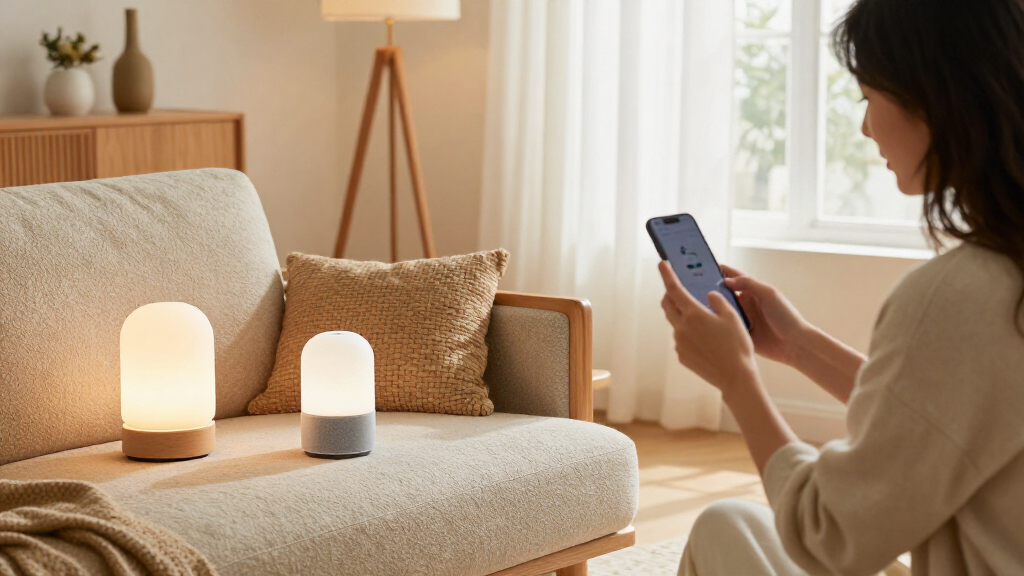
Smart bulbs can change brightness and sometimes color, while smart switches or dimmers can control existing fixtures. Check the socket and dimmer requirements before buying; a bulb that works in a table lamp may not be suitable for every fixture. If you rent, a plug-in lamp and bulb can be easier to try than a hardwired switch.
A smart speaker or display can play music, set timers, and control compatible devices by voice. A display may also show recipes or a camera feed, though that screen and its microphone deserve a look at the privacy settings. For TV control, a streaming device or universal remote may bring apps and commands together. Imagine settling in with tea and asking for a film, instead of searching through a drawer of remotes.
Smart plugs can control some lamps and simple appliances, but they are not a universal on-off switch. Avoid using one with equipment that should not be power-cycled unexpectedly. Fans, thermostats, air-quality sensors, and motorized shades can add comfort, but check installation needs, noise, power, and system compatibility first.
Check compatibility before you buy devices from different brands
Smart devices work together only when their connection methods, controller, and supported features match. Before buying, check whether a product works with your Wi-Fi, preferred voice assistant, existing app, and any hub or bridge you already use. Compatibility decides whether a command like “movie time” can dim the lights and start the TV—or only control one of them.
Matter is a cross-industry standard designed to improve compatibility among supported smart-home products. Still, a Matter label does not promise every feature will work in every app or with every controller. Check the specific product details, including whether you need a compatible hub and which features your chosen platform supports.
For instance, you might find that a bulb can be turned on from a preferred app but its color scenes are not available through your speaker’s controls. That is a different experience from being able to set brightness, color, and a shared routine in one place. Check how the household will use the device, not just whether two logos appear on the box.
Some devices connect directly to Wi-Fi; others use a speaker, display, or dedicated hub as a controller. More hubs can mean more setup and another box near the router. A quick compatibility check before checkout can save you from the unpleasant surprise of a new shade motor that needs a bridge you did not budget for.
Set privacy and reliability rules before devices go live
Smart home devices can process personal data, and their reliability depends on power, network quality, and sometimes cloud services. Before setup, review account security, software updates, recording options, and the controls for microphones and cameras. These checks help you decide what the device should hear, record, or share.
A smart speaker may wait for a wake word or button press, but audio processing depends on the product and its settings. Check the manufacturer’s privacy information, use the mute control when you want it, and turn off features you do not need. If you place an indoor camera in the living room, discuss its location and recording rules with everyone who shares the space.
Use a strong, unique password and multifactor authentication where available. Keep device software updated, and check whether a camera stores video locally, in the cloud, or both. A camera aimed at a front entry may suit a household; one pointed at a couch where guests gather may feel invasive. Placement is a practical choice and a social one.
Internet outages are another everyday test. Some physical switches and local controls may keep working, while voice features, app access, or cloud-based routines may stop. Keep an easy manual option available, such as a wall switch or TV remote, so a router problem does not leave you sitting in the dark.
Set up your first devices in a few simple steps
Set up a smart living room by choosing one task, checking the device requirements, and testing the controls before you build a larger routine. A little planning can keep a useful change from turning into a Saturday spent resetting bulbs. Try this sequence with a living-room lamp or streaming device:
- Name the problem. For example, the lamp is hard to reach from the sofa, or glare makes daytime viewing uncomfortable.
- Check requirements. Confirm Wi-Fi compatibility, the needed hub or bridge, fixture or socket type, and which app or assistant supports the features you want.
- Set privacy and access. Review microphone or camera controls, account security, software updates, and household sharing before linking accounts.
- Test daily controls. Try the physical switch, app, and voice command if available. Ask another household member to try them too.
- Add one routine only when the basics work. A “movie time” routine might dim a compatible lamp and switch on a TV device; keep the manual controls nearby.
Suppose the first lamp responds reliably for a week, but a voice command confuses two devices with similar names. Rename the lamp clearly before buying another gadget. That small adjustment can make a room feel smooth and predictable, like a remote that finally controls the television you meant to turn on.
Weigh comfort, energy, and ongoing costs realistically
Connected devices can make a room more comfortable and help reduce unnecessary use, but savings depend on the product, settings, and household habits. A schedule that dims lights each evening may lower lighting use; a smart plug that powers a device you always leave on may help you manage it. Neither guarantees a specific bill reduction. The practical question is whether a feature changes what your household would otherwise do. Automating lights in an empty room can avoid wasted use; automating a lamp that is already switched off adds convenience at most, not savings.
Before buying, add up the full cost: device price, any hub, subscription, replacement batteries, and installation. A modest setup with a few bulbs and a speaker can cost far less than a system with cameras, motorized shades, and several subscriptions. You may also spend time maintaining accounts and fixing connections, which is part of the real cost. Compare that total with the benefit you expect: paying for a subscription is easier to justify if you rely on its video history, for example, than if you only want motion alerts.
Comfort features have tradeoffs too. Motorized shades can soften bright afternoon sun on a television screen, but measure the window and check noise, power, battery life, and installation needs. Consider how often the glare happens and whether a manual shade would solve it just as well. Thermostats and switches may involve wiring or heating-system requirements. For electrical or other hardwired work, use a licensed professional and follow relevant safety and permit rules; turn off power before any permitted hands-on work and use appropriate protective equipment.
Renters can often start with wireless, battery-powered, or plug-in products, while hardwired switches and shades may need landlord approval or professional installation. If you are unsure, begin with a portable lamp or speaker. Comfort should fit the home you have, not depend on a renovation you cannot make.
Frequently Asked Questions
What smart home devices are most useful in a living room?
Lighting controls, a speaker or display, and a simple TV or streaming setup are common starting points. Choose the one that solves your household’s most frequent annoyance, such as reaching a lamp switch from the sofa.
Do all smart-home devices work together?
No. Check the platform, hub requirements, and specific features supported by the app or controller you plan to use. Matter can improve compatibility among supported products, but support varies by device and feature.
Do I need a smart hub for my living room?
Not always. Some devices connect directly to Wi-Fi or use a compatible speaker or display as a controller; others need a separate hub or bridge. Check that requirement before buying so you can include the extra hardware in your setup and budget.
Will smart devices work if the internet goes down?
It depends on the device and setup. Physical controls or local features may continue working, while app access, voice services, and cloud-based routines may stop. Keep a manual switch or remote available for basic tasks.
Are smart speakers always listening?
Voice assistants generally wait for a wake word or button press, but processing and recording behavior depends on the device and its settings. Read the manufacturer’s privacy information and use the mute control when you want the microphone off.
Can smart lighting use existing fixtures?
Often. Smart bulbs can fit compatible sockets, while smart switches or dimmers can control existing fixtures. Check bulb, wiring, and dimmer compatibility; use a licensed professional for hardwired work.
Can smart devices help save energy?
Schedules, dimming, and energy monitoring can help you reduce unnecessary use, but results depend on the device and your habits. A schedule that turns down lights when the room is empty helps only if it matches how your household actually uses the space.
Conclusion
Start with one task you repeat every day, such as dimming the lamp or choosing what to watch. Pick a compatible device, check its privacy and control options, and see whether it makes the room easier for everyone to use.
A smart living room should feel less like a shelf of blinking gadgets and more like a quiet, helpful room: one tap, a softer glow, and the evening is yours.