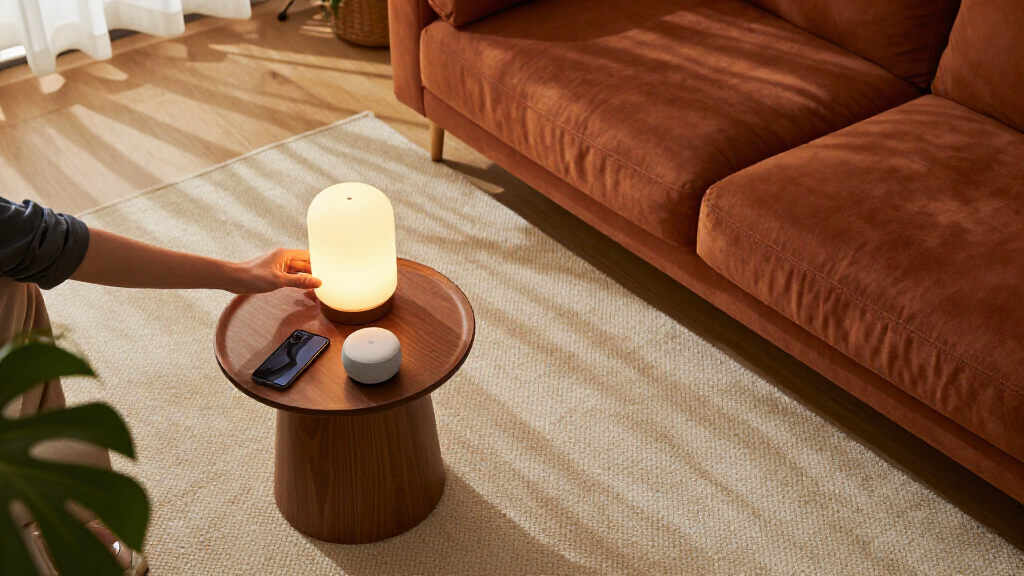
Smart home decor gadgets should do two jobs at once: make your space look better and make daily routines easier. After comparing six popular options, the Amazon Echo Show 5 (Newest Model) earns the top spot because its screen doubles as a clock, photo frame, and control hub for everything else in the lineup. The Amazon Echo Dot (5th Gen) is the stronger pick if you want voice control and ambient lighting in a smaller, cheaper package, while the ZEZHOU Motion-Activated Toilet Night Light 2-Pack delivers the most charm per dollar for anyone who loves playful accent lighting. The main tradeoff in this category is between hub-style devices that orchestrate your whole home and single-purpose gadgets that decorate one corner of it. Keep reading for the full breakdown, including who each pick suits and who should skip it.

Get furniture and decor delivered free with Prime
- Fast, free delivery on millions of items
- Prime Video, Amazon Music and more included
- Member-only deals all year
Complete the kit


Key Takeaways
- A screen changes everything: the Echo Show 5 ranks highest because a display lets you control lights, plugs, and cameras visually instead of memorizing voice commands.
- Single-purpose decor gadgets like the amazon.com/dp/B07KRY43KN?tag=graceforlifedesigns.com-20&ascsubtag=dc-1091057″ target=”_blank” rel=”nofollow sponsored noopener”>amazon.com/dp/B07C4QK1XD?tag=graceforlifedesigns.com-20&ascsubtag=dc-1091057″ target=”_blank” rel=”nofollow sponsored noopener”>ZEZHOU toilet light and Echo Glow are fun and cheap but cannot grow with you, while hub devices like the Echo Dot can anchor an expanding smart home.
- Smart plugs are the cheapest way to make existing decor intelligent, and the difference between the amazon.com/dp/B089DR29T6?tag=graceforlifedesigns.com-20&ascsubtag=dc-1091057″ target=”_blank” rel=”nofollow sponsored noopener”>amazon.com/dp/B0D7ZW512L?tag=graceforlifedesigns.com-20&ascsubtag=dc-1091057″ target=”_blank” rel=”nofollow sponsored noopener”>GHome and Amazon plugs comes down to ecosystem lock-in versus cross-platform flexibility.
- The Echo Glow’s strongest feature, kid-friendly colored lighting, is also its biggest limitation since it lacks a speaker and depends on another Alexa device for full control.
- Half of this lineup is Amazon-branded, so buyers who prefer Google Home or Apple HomeKit should lean toward the GHome plug and verify compatibility before buying anything else here.
| GHome Wi-Fi Smart Plug with App and Voice Control | 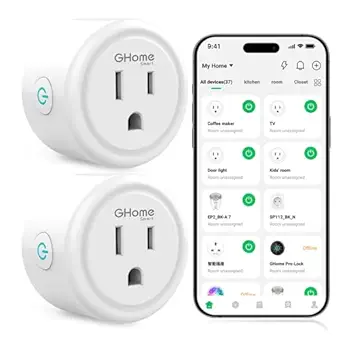 | Best Value Smart Plug | Connectivity: 2.4 GHz Wi-Fi | Voice assistants: Alexa, Google Assistant | Compatible apps: GHome, Smart Life, Tuya | VIEW LATEST PRICE | See Our Full Breakdown |
| Amazon Smart Plug with Alexa |  | Best Plug for Alexa Households | Dimensions: 3.2 × 1.5 × 2.2 in (80 × 38 × 57 mm) | Weight: 3.1 oz (87 g) | Input: 120 VAC, 60 Hz, 15 A max | VIEW LATEST PRICE | See Our Full Breakdown |
| Amazon Echo Dot (5th Gen, Glacier White) Smart Speaker with Alexa |  | Best Overall Hub for a Smart Decor Setup | Generation: 5th Gen | Size: 3.9″ x 3.9″ x 3.5″ (100 x 100 x 89 mm) | Weight: 10.7 oz (304 g) | VIEW LATEST PRICE | See Our Full Breakdown |
| ZEZHOU Motion-Activated Toilet Night Light, 2-Pack | 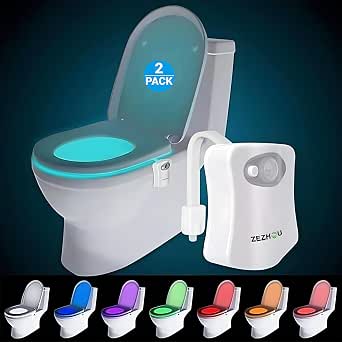 | Best Budget Nighttime Convenience | Pack size: 2 lights | Lighting: 8 LED colors | Modes: Color rotation and single color | VIEW LATEST PRICE | See Our Full Breakdown |
| Amazon Echo Glow Smart Night Light for Kids |  | Best Smart Decor for Kids’ Rooms | Product type: Smart lamp and night light | Color options: Millions of colors | Controls: Voice control with compatible Alexa devices | VIEW LATEST PRICE | See Our Full Breakdown |
| Amazon Echo Show 5 (Newest Model) Smart Display – Cloud Blue |  | Best Smart Home Hub with a Screen | Display: 5.5 inches | Camera: 2 MP built-in camera | Color: Cloud Blue | VIEW LATEST PRICE | See Our Full Breakdown |
More Details on Our Top Picks
GHome Wi-Fi Smart Plug with App and Voice Control
For buyers who want to dip a toe into smart home automation without committing to one ecosystem, this plug is the sensible entry point. Unlike the Amazon Smart Plug, which locks you into Alexa, the GHome works with both Alexa and Google Assistant plus three different apps, so it survives a future switch in voice platforms. Schedule and timer functions cover the basics: lamps, fans, and holiday lights all become automatable for very little complexity. The tradeoff is friction at setup — you must register through the GHome app before linking to your voice assistant, a two-step hurdle the Amazon plug skips entirely. It also demands a 2.4 GHz network, which trips up households running 5 GHz-only routers. Compared with the Echo Dot elsewhere in this lineup, it is a pure utility play rather than a decor piece, best bought in multiples for whole-room automation on a modest budget.
Pros:- Works with both Alexa and Google Assistant
- Compatible with GHome, Smart Life, and Tuya apps
- Schedules and timers enable genuine automation
- No hub required
Cons:- Only connects to 2.4 GHz Wi-Fi
- Requires GHome app setup before voice assistant pairing
Best for: Households mixing Alexa and Google devices, or anyone who wants app plus voice control of lamps and fans without ecosystem lock-in
Not ideal for: Apple HomeKit users and households with only 5 GHz Wi-Fi, since neither is supported
- Connectivity:2.4 GHz Wi-Fi
- Voice assistants:Alexa, Google Assistant
- Compatible apps:GHome, Smart Life, Tuya
- Operating voltage:120 V
- Maximum wattage:1200 W
- Hub required:No
- Control methods:App, remote, touch, voice
- Color:White
Our verdict“A flexible, ecosystem-agnostic smart plug for buyers automating several lamps or appliances at once.”
Amazon Smart Plug with Alexa
This is the plug I would point Alexa-first households toward, because the setup experience is nearly effortless — plug it in, open the Alexa app, and you are done in minutes. Where the GHome plug forces a separate app registration first, this one skips straight to routines, schedules, and voice control. The compact body leaves the second outlet free, a small design detail that matters in kitchens and behind furniture where outlets are scarce. Another quiet strength is its ability to automatically reconnect after power or Wi-Fi outages, meaning lamps come back on without intervention. The tradeoff is total ecosystem dependency: no Google Assistant, no third-party hubs, no cross-platform escape hatch. Paired with an Echo Dot, it forms the simplest voice-controlled lighting setup in this roundup — but households that might ever switch assistants should choose the GHome instead.
Pros:- No hub required and minimal setup through the Alexa app
- Compact design leaves the second outlet free
- Supports voice control, timers, schedules, and routines
- Automatically reconnects after outages
Cons:- Works only with Alexa — no other assistants or hubs
- 2.4 GHz Wi-Fi only
- Indoor use only
Best for: Alexa households that want zero-friction setup and reliable scheduling of lamps, coffee makers, or fans
Not ideal for: Google Assistant users or smart home tinkerers who want cross-platform compatibility
- Dimensions:3.2 × 1.5 × 2.2 in (80 × 38 × 57 mm)
- Weight:3.1 oz (87 g)
- Input:120 VAC, 60 Hz, 15 A max
- Maximum output:15 A
- Wi-Fi:2.4 GHz, 802.11 b/g/n
- Use:Indoor only
- Compatibility:Alexa app and compatible Alexa devices
- Warranty:1-year limited warranty
Our verdict“The most friction-free smart plug available — as long as Alexa is your only voice assistant.”
Amazon Echo Dot (5th Gen, Glacier White) Smart Speaker with Alexa
If one gadget anchors a smart decor scheme, this is it. The Echo Dot does triple duty: speaker, voice command center, and Wi-Fi extender. Its built-in motion and temperature sensors are the standout for decor-minded buyers — walk into a hallway and a routine can trigger connected lights, like the Echo Glow or lamps on the Amazon Smart Plug, without touching a switch. Dual-band Wi-Fi support is a real advantage over both smart plugs in this lineup, which are stuck on 2.4 GHz networks. The eero Built-in extender adds up to 1,000 sq. ft. of coverage, though only if you already run a compatible eero router. Tradeoffs exist: audio is mono with a 62 Hz floor, so it fills a bedroom rather than a living room, and Amazon Sidewalk ships enabled by default, sharing a slice of bandwidth unless you switch it off in settings. Still, as a command hub, nothing else here comes close.
Pros:- Motion and temperature sensors trigger room-based lighting routines
- Doubles as an eero mesh extender adding up to 1,000 sq. ft. of coverage
- Compact footprint suits bedrooms, offices, and shelves
- Supports Matter and streams from major music services
Cons:- Mono audio with modest low-end response
- eero Built-in requires a compatible eero router and account
- Amazon Sidewalk is enabled by default
Best for: Buyers building a voice-controlled lighting and decor system who also want music and better Wi-Fi reach in a small space
Not ideal for: Audiophiles or anyone without an eero router who expects the extender feature to work standalone
- Generation:5th Gen
- Size:3.9″ x 3.9″ x 3.5″ (100 x 100 x 89 mm)
- Weight:10.7 oz (304 g)
- Audio bandwidth:62 Hz – 19 kHz
- Driver:1.6″ full range, mono
- Wi-Fi:Dual-band 802.11a/b/g/n/ac
- Smart home compatibility:Wi-Fi, Bluetooth Low Energy Mesh, Matter
- Wi-Fi extender:eero Built-in, up to 1,000 sq. ft., 100 Mbps, 10 devices
Our verdict“The control center pick — buy this first if you plan to add smart plugs and lights later.”
ZEZHOU Motion-Activated Toilet Night Light, 2-Pack
This is the least glamorous item here and arguably the most immediately useful. The motion-activated toilet light solves a specific problem — blind, stumbling bathroom trips at 3 a.m. — without waking anyone with overhead lighting. Compared with the Echo Glow, it is radically simpler: no app, no Alexa device, no setup beyond bending the flexible arm over the bowl. Eight LED colors and a rotation mode add a playful touch that kids tend to love, and the two-pack covers two bathrooms for pocket change. The tradeoffs are real, though. The color rotation cycle runs about 120 seconds, which feels sluggish if you want a steady hue, and the sensor only activates in genuine darkness, so dim night-lights elsewhere in the hallway can prevent it from triggering. It is not smart-home decor in the connected sense — think of it as dumb automation that just works.
Pros:- Turns on automatically when motion is detected in darkness
- Eight LED colors with rotation and single-color modes
- Flexible arm fits most toilet bowls without tools
- Two-pack covers two bathrooms
Cons:- Color rotation cycle takes roughly 120 seconds
- Only activates in a fully dark environment
Best for: Parents and older adults who want safe, automatic nighttime bathroom lighting with zero setup
Not ideal for: Buyers wanting app control or scheduling — this has no smart features at all
- Pack size:2 lights
- Lighting:8 LED colors
- Modes:Color rotation and single color
- Activation:Motion-activated; works only in darkness
- Installation:Flexible arm; no suction cups
- Warranty:18 months
Our verdict“A near-impulse purchase that solves one nighttime problem exceptionally well for almost no money or effort.”
Amazon Echo Glow Smart Night Light for Kids
Where the ZEZHOU toilet light is function-first, the Echo Glow is decor with a purpose. Millions of colors and adjustable brightness make it a genuine design object for a child’s room, while features like sunrise alarms and countdown timers quietly do parenting work — easing wake-ups and making bedtime or tooth-brushing routines visible. The dynamic modes that react to music turn it into a party light on demand. The catch is dependency: the Glow has no speaker or microphone of its own, so every voice command requires a separate Alexa device like the Echo Dot in this lineup. Without one, it is reduced to whatever you configure in the Alexa app. Compared with a basic color bulb, its advantage is the kid-focused routine engine; its disadvantage is that it cannot function standalone. For families already in the Alexa ecosystem, though, it is one of the easiest decor upgrades a child’s room can get.
Pros:- Millions of colors with adjustable brightness
- Sunrise alarms and countdown timers support daily routines
- Dynamic lighting modes react to music and sound
- Simple plug-in setup through the Alexa app
Cons:- Requires a compatible Alexa device for voice control
- Depends on the Alexa app for initial configuration
Best for: Alexa households wanting a colorful night light that doubles as a bedtime-routine and wake-up tool for kids
Not ideal for: Households without any Alexa device, since voice control and most features depend on one
- Product type:Smart lamp and night light
- Color options:Millions of colors
- Controls:Voice control with compatible Alexa devices
- Lighting features:Color and brightness control, sunrise alarm, countdown timer, dynamic modes
- Setup:Plug in and configure with the Alexa app
Our verdict“A playful, routine-building smart lamp for kids — but only if an Echo device already lives in your home.”
Amazon Echo Show 5 (Newest Model) Smart Display – Cloud Blue
If the Echo Dot is the budget way into Alexa, the Echo Show 5 is the version that actually earns its place on a shelf as decor. The 5.5-inch screen turns a voice assistant into a visual control panel — weather at a glance, photo slideshows when idle, and camera feeds from smart plugs and lights you can toggle by touch instead of memorizing voice commands. Compared with the audio-only Dot, this model makes the most sense as the command center for a growing smart decor setup, since seeing your device list beats guessing what Alexa heard. The improved bass is genuinely better than earlier Show 5s, though it still won’t fill a large room. The tradeoff is size: the compact screen is great on a nightstand but cramped for following recipes or watching Prime Video, and the 2 MP camera is fine for quick calls, not much else.
Pros:- Touchscreen makes managing smart plugs and lights far easier than voice-only control
- Physical camera shutter and mic/camera off button give real privacy peace of mind
- Photo slideshow mode doubles it as ambient decor when idle
- Built with recycled aluminum and post-consumer recycled fabric
Cons:- 5.5-inch screen limits video watching and detailed dashboards
- 2 MP camera produces mediocre video call quality
Best for: Owners of several smart home devices who want a visual dashboard and bedside or desk hub in one compact gadget
Not ideal for: Anyone wanting a primary video screen — the 5.5-inch display is too small for comfortable recipe-following or extended streaming
- Display:5.5 inches
- Camera:2 MP built-in camera
- Color:Cloud Blue
- Voice Assistant:Alexa+
- Audio:2x the bass and clearer sound
- Streaming Services:Amazon Music, Spotify, Prime Video
- Sustainability:100% post-consumer recycled polyester fabric, 100% recycled aluminum
Our verdict“Buy this if you want one compact device that both controls your smart decor and looks like a deliberate design choice on a shelf or nightstand — skip it if you mainly want music, where the Echo Dot does the job for less.”
How We Picked
My ranking logic for this roundup comes down to one question: how much everyday value does each gadget add relative to the space and money it demands? I weighed each product on versatility, ease of setup, ecosystem compatibility, build quality, and how well it works as a decor piece rather than just a tech toy. Devices that could anchor a broader smart home setup scored higher than one-trick products, because most buyers want decor gadgets that grow with them over time.
That is why the Echo Show 5 sits at the top: its screen, camera, and speaker make it a genuine centerpiece, while motion-sensor lights and smart plugs fill supporting roles lower in the ranking. Setup friction mattered too. Anything requiring a separate hub, bridge, or finicky app lost points compared with plug-and-play options. Finally, I penalized products whose appeal fades quickly, since a gadget that feels novel for a week but ends up in a drawer is poor value no matter what it costs.
Factors to Consider When Choosing Smart Home Decor Gadgets
Choosing between smart home decor gadgets is less about specs and more about how you actually live. These are the factors that matter most before adding any of these devices to your home.Ecosystem Compatibility Comes First
The single most expensive mistake in this category is buying gadgets from mixed ecosystems that refuse to talk to each other. If your household already runs on Alexa, the Amazon-branded picks here will slot in seamlessly, but mixing in a Google Home speaker later can create a patchwork of apps and voice assistants that frustrate everyone. Before buying, check whether each device supports the assistant you actually use, not the one the manufacturer prefers. The GHome plug stands out as the ecosystem wildcard because it works across platforms, making it a safer bet for undecided buyers. Also confirm Wi-Fi band requirements, since some budget gadgets only connect to 2.4GHz networks, which trips up households running dual-band routers. A little compatibility homework now prevents a drawer full of orphaned gadgets later.
Hub Devices Versus Single-Purpose Gadgets
Every product in this roundup falls into one of two camps: hub devices that can orchestrate other gadgets, or single-purpose pieces that do one decorative job. Hub devices like the Echo Dot and Echo Show 5 cost more upfront but become more useful with every device you add, because they act as the voice-control brain for plugs and lights. Single-purpose gadgets like the toilet night light and Echo Glow are delightful immediately but hit a hard ceiling, since they cannot control anything else. A common mistake is filling a home with charming one-off gadgets and only later realizing there is no central way to manage them. My advice for first-time buyers is to start with one hub device, then decorate around it. Established smart-home owners can afford to be more playful with single-purpose picks.
Where the Gadget Will Actually Live
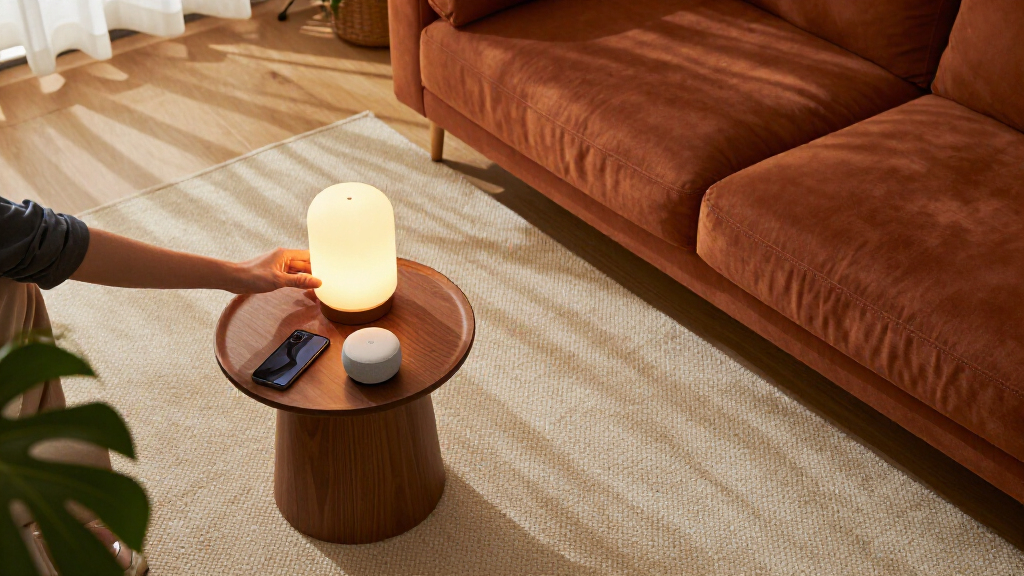
Placement determines whether a smart decor gadget feels intentional or like clutter. A smart display belongs on a nightstand, kitchen counter, or entryway shelf where its screen earns its footprint, but it overwhelms a small side table. Smart plugs are invisible by design, which makes them the most decor-friendly option of all, since they add intelligence to lamps you already own without changing how a room looks. Motion-activated lights work best in transitional spaces like hallways and bathrooms where sensors can do their job. Before buying, photograph the spot you have in mind and measure it, because product photos on white backgrounds consistently make devices look smaller than they are. Outlets are another practical constraint: a plug that blocks the second socket defeats the purpose of a discreet upgrade.
Who Else Uses the House
Smart decor succeeds or fails based on whether everyone under the roof can operate it. Voice-controlled devices are a mixed blessing in multi-generational homes: they delight kids and tech-comfortable adults but can frustrate guests and older family members who just want a light switch that works. Physical controls and motion sensors solve this, which is partly why the motion-activated toilet light is such an easy sell, since it requires zero interaction from anyone. If you have children, parental controls and content filters should factor into any speaker or display purchase, and dedicated kid-oriented devices like the Echo Glow avoid screen-time debates entirely. Households with roommates should also consider whether shared devices create privacy concerns, particularly anything with a camera. Match the interface to the least tech-savvy person who will use it daily.
Power, Placement, and Practical Limits
The unglamorous details decide long-term satisfaction. Battery-powered decor lights need regular recharging, which is fine for a bedside glow lamp but tedious for anything mounted out of reach. Wi-Fi-dependent devices fail gracefully or terribly during internet outages, and it is worth checking whether each gadget retains basic functions offline. Smart plugs also carry load limits, meaning high-wattage appliances like space heaters may exceed what a compact plug safely handles, so check amperage ratings for anything beyond lamps and string lights. Night lights with sensors should be positioned where ambient daylight will not confuse them into staying off. Finally, consider cord management, because a beautiful accent light trailing a visible cable across a shelf undermines the decor goal that motivated the purchase in the first place.
Frequently Asked Questions
Should I buy the Echo Show 5 or just get an Echo Dot and save money?
The choice hinges on whether a screen genuinely earns counter space in your home. The Echo Show 5 works best as a bedside or kitchen companion where its display becomes a clock, timer, recipe card, and video-calling screen, and its camera adds a video-chat option the Dot simply cannot offer. The Echo Dot, by contrast, covers roughly 80% of the same functionality, since it answers the same voice commands and controls the same smart plugs and lights for less money. If you mostly want voice control and music, the Dot is the smarter buy and the savings can go toward a smart plug or two. Choose the Show 5 only if you will actually look at the screen multiple times a day; otherwise it becomes an expensive speaker with a dim display.
Is the GHome smart plug or the Amazon Smart Plug the better choice?
If your home is committed to Alexa, the Amazon Smart Plug offers the smoothest setup experience, with the Alexa app typically detecting it within a minute of plugging in. The GHome plug is the better pick for anyone who values flexibility, because it works with both Alexa and Google Assistant and its app offers more scheduling options than Amazon’s. GHome plugs also tend to have a slimmer body, which matters when two plugs share one outlet. The tradeoff is that the GHome requires its own app during setup, adding a small step Amazon skips. Households that might switch assistants down the road, or that already mix ecosystems, should choose GHome, while all-Alexa households will appreciate the friction-free Amazon option.
Are gadgets like the toilet night light and Echo Glow worth it, or just gimmicks?
Honestly, they are a bit of both, and which side they land on depends on your expectations. The motion-activated toilet light solves a real problem, since it lights the way at night without blasting overhead lights and waking you fully, and its two-pack lets you cover a second bathroom cheaply. The Echo Glow is more purely decorative: kids love changing its colors, and it works nicely as a gentle wake-up light, but it has no speaker or microphone, so it depends on another Alexa device for control. Neither will transform your home, but both deliver small daily moments of delight for very little money. The mistake to avoid is expecting either to serve as the foundation of a smart home, because they are finishing touches, not building blocks.
Do I need one smart hub device or several spread around the house?
Start with one, placed wherever you spend the most time, because that is where voice commands actually happen. A single Echo Dot in a living room or kitchen can control every plug and light in this roundup from anywhere within earshot. Adding a second hub device makes sense in larger homes, upstairs-downstairs layouts, or bedrooms where you want music and alarms without shouting down the hallway. The Echo Show 5 is a natural second device for a nightstand, since its screen adds alarm and clock functions the Dot handles less gracefully. What you should not do is buy three hubs at once before knowing where you will use them, because far-field microphones cover more space than most people expect.
Will these gadgets still work if my Wi-Fi goes down?
It varies by device, and this is worth knowing before a storm knocks out your connection. Voice assistants like the Echo Dot and Echo Show 5 lose most of their skills offline, since Alexa processing happens in the cloud, though they can usually still act as Bluetooth speakers. Smart plugs typically retain their physical on/off buttons, so you can still operate lamps manually even when remote control and scheduling fail. Motion-sensor lights like the toilet night light are the most resilient of all because they are self-contained, needing no Wi-Fi to function. If offline reliability matters in your home, favor devices with physical controls and treat cloud-dependent features as bonuses rather than guarantees.
Conclusion
Mapping these six gadgets to buyer types makes the decision simple. For best overall, the Amazon Echo Show 5 wins because it combines display, speaker, and smart-home control in one decor-friendly package that anchors everything else here. The Amazon Echo Dot (5th Gen) is the best value, delivering the core Alexa experience and room-filling sound for its size at a friendlier price. For beginners, the Amazon Smart Plug is the gentlest entry point: it takes minutes to set up and instantly smartens a lamp you already own. The best premium pick remains the Echo Show 5, though buyers wanting premium charm rather than premium function will find the Echo Glow fits that bill for kids’ rooms. For specific needs, the ZEZHOU Motion-Activated Toilet Night Light is unmatched for nighttime visibility, and the GHome smart plug is the right call for Google Home or mixed-ecosystem households. Start with the hub that matches your assistant, layer in plugs for the lamps you love, and finish with the playful accent lights once the basics work.
Halloween Picks
halloween
As an affiliate, we earn on qualifying purchases.