
TL;DR

Get furniture and decor delivered free — and shop member deals
- Fast, free delivery on millions of items
- Access to Prime Big Deal Days deals on October 6–7
- Prime Video, Amazon Music and more included
Building your own AI workstation used to save money, but in 2026, prebuilt systems often match or beat DIY costs due to component shortages and bulk buying. Your choice now hinges on speed, support, and customization needs, not just price. Both options have tradeoffs in time, control, and long-term costs.
Imagine standing in front of a high-powered GPU, wondering if you should assemble your own AI beast or just buy one ready to run. The landscape shifted dramatically in 2026. The old rule — build cheap, buy fast — no longer applies as strongly. Now, with chip shortages and bulk buying, prebuilt systems often come at a comparable or even lower price. But the choice isn’t only about dollars. It’s about speed, support, and how much control you want over your machine. This guide breaks down the real tradeoffs so you can pick what suits your project best.
Whether you’re a solo creator, a startup, or part of a large research team, understanding the nuances makes all the difference. Are you ready to move beyond assumptions and see what really matters in 2026? Let’s get into the details.
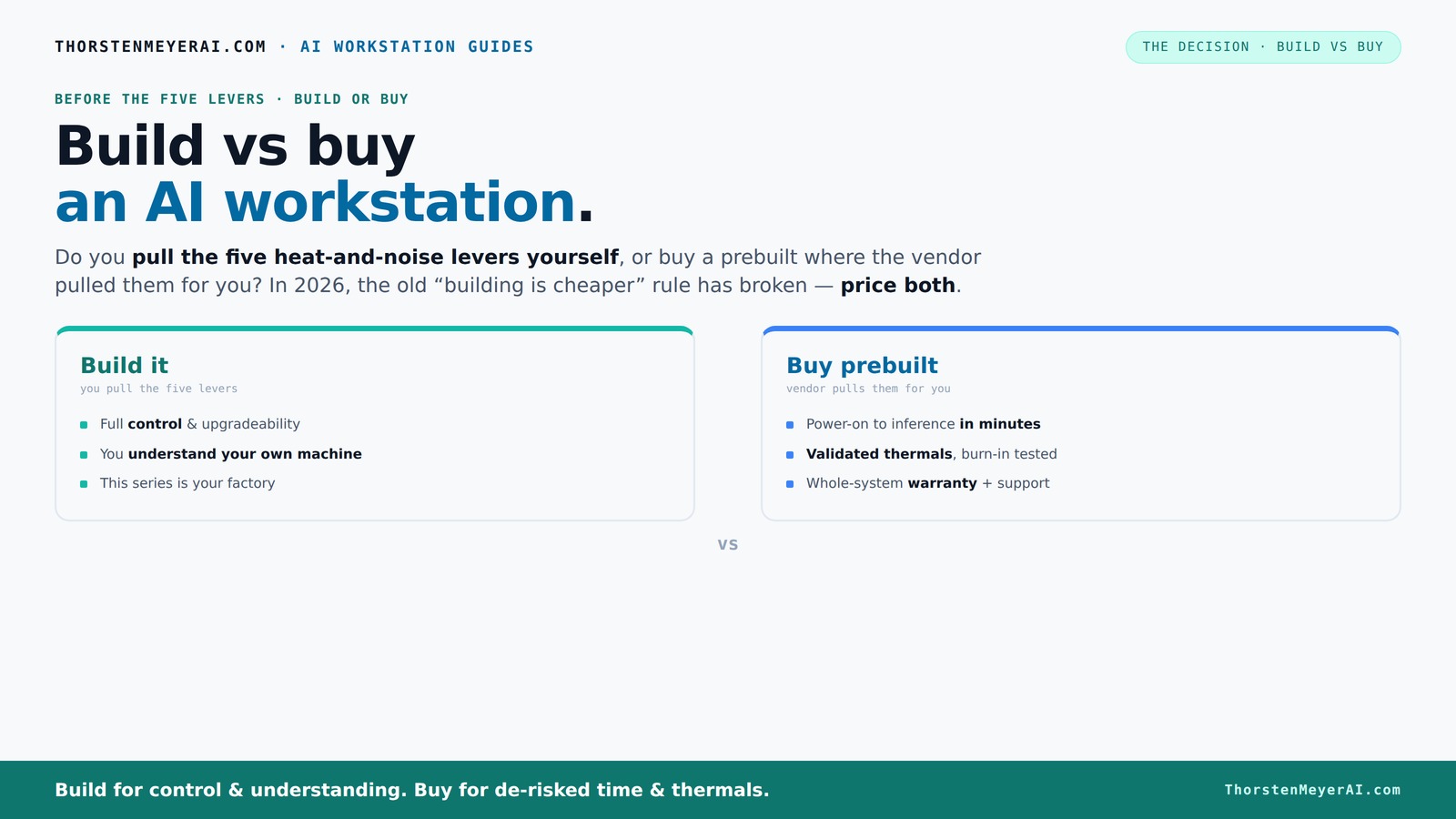
Build vs buy
an AI workstation.
The real question behind this whole series: do you pull the five heat-and-noise levers yourself, or buy a prebuilt where the vendor pulled them for you? And in 2026, the old “building is cheaper” rule has broken. Match your situation in Part 3.
Key Takeaways
- Component shortages in 2026 make prebuilt AI workstations equally or more affordable than DIY builds.
- Prebuilts save time by delivering ready-to-run systems with validated thermals and support.
- Building offers full customization and upgradeability, ideal for unique or security-sensitive workloads.
- Support and warranty significantly reduce operational headaches, especially under heavy or prolonged use.
- Your decision hinges on whether you prioritize speed and reliability or control and flexibility.
high performance GPU for AI workstation
As an affiliate, we earn on qualifying purchases.
As an affiliate, we earn on qualifying purchases.
Why the old build-vs-buy rule no longer applies in 2026
Building your own AI workstation used to automatically save money. That’s not true anymore. Component shortages and skyrocketing prices for DDR5 RAM, GPUs, and SSDs have made DIY more expensive than it was. A typical build that used to cost under $1,000 now pushes past $1,250+ before even adding an OS. Meanwhile, prebuilt manufacturers—who buy in bulk—can now offer systems at prices that are tough to beat. The game has changed, and the old wisdom doesn’t hold.
For example, a high-end GPU like the NVIDIA RTX 4090, which used to be a luxury item, now costs nearly $2,000. Building a system around it today might cost more than just buying a preconfigured system from a vendor like Lambda or Puget Systems. This shift isn’t just about immediate savings; it reflects broader market dynamics where economies of scale and supply chain efficiencies favor prebuilt solutions. The implication is that DIY no longer guarantees cost savings, and in many cases, it can add complexity and delays that undermine your project timelines. Learn more about build vs buy options. This means that, especially in a competitive or time-sensitive environment, choosing prebuilt can be a strategic move to ensure reliability and speed.
The five levers that control your AI workstation’s heat and noise
Making a powerful AI workstation run cool and quiet is an art that significantly impacts your hardware’s longevity, stability, and performance. The five key levers—undervolting the GPU, matching the cooler to the specific component, optimizing case airflow, tuning fan curves, and selecting appropriate placement—are tools that influence thermal performance and acoustic levels. When you build your own system, you have direct control over these levers, allowing you to customize thermal solutions to your workload and environment. This can lead to more efficient cooling, quieter operation, and potentially better sustained performance under load.
Prebuilt systems, however, often come with factory-tuned thermal profiles optimized for general use, tested rigorously to balance noise and heat. Learn more about thermal management. For instance, companies like BIZON perform burn-in testing and fine-tune fan curves, ensuring the system maintains cool temperatures and operates quietly during intensive tasks. This validation reduces the guesswork and trial-and-error associated with DIY cooling setups, especially for users who lack the time or expertise to fine-tune thermal management. The tradeoff is that prebuilt systems may not be as customizable or as finely tuned to your specific environment, but they offer a reliable baseline that’s optimized for most workloads. Understanding these levers helps you decide whether you want to invest the time and effort into manual tuning or prefer a system that’s ready to perform out of the box with minimal fuss.
When buying a prebuilt saves you time, effort, and headaches
If your priority is rapid deployment and minimizing setup headaches, prebuilt systems are often the best choice. These solutions come with all necessary software pre-installed—OS, CUDA, TensorFlow—and are tested under load to ensure stability. This means you can start training models within hours rather than days or weeks spent sourcing parts, assembling, troubleshooting, and tuning. For example, a researcher or professional can order a multi-GPU system from companies like Lambda, receive it in a few days, and be operational within a day or two. The vendor’s testing process ensures thermal stability, power management, and compatibility, reducing the risk of hardware failures or performance bottlenecks that often plague DIY setups. This approach is especially valuable for those with tight schedules or limited technical expertise, as it shifts the focus from setup to productivity. The tradeoff is that prebuilt systems may be less flexible for custom configurations, but the time saved can be critical for meeting project deadlines or accelerating research cycles.
Why building your own AI workstation still makes sense
Building your own system remains a strategic choice when you require tailored performance, enhanced security, or specific hardware configurations that off-the-shelf solutions can’t provide. For instance, a researcher might need a custom setup with specialized cooling, proprietary hardware, or a specific motherboard layout that maximizes airflow for thermal efficiency. Hobbyists and small startups can benefit from full control over component selection, enabling them to optimize for power consumption, noise levels, or future upgrade paths that align with their long-term plans. Additionally, DIY allows for incremental upgrades—adding more RAM, swapping GPUs, or replacing CPUs—without vendor restrictions. This flexibility can lead to cost savings over time and ensure your system evolves with your needs, rather than being locked into a vendor’s upgrade cycle or proprietary hardware. The tradeoff is that building demands technical skill, time investment, and patience, but for those who enjoy hardware tinkering or have specialized requirements, it’s often the best way to ensure maximum control and future-proofing.
Cost comparison: build vs buy in 2026 — what’s really cheaper?
Cost remains a critical factor, but in 2026, the landscape has shifted. A typical high-end DIY build, including a top-tier GPU like the RTX 4090, a powerful CPU, sufficient cooling, and other components, can cost between $2,000 and $2,500. However, due to market conditions, prebuilt systems from reputable vendors often come close to these prices or even slightly lower, thanks to bulk discounts and supply chain efficiencies. More importantly, the total cost of ownership over several years isn’t just about initial purchase price. It includes support, troubleshooting, downtime, and upgrade costs. Prebuilt solutions often include warranties, support, and pre-validated thermal and power configurations, reducing hidden costs and operational risks. For example, a prebuilt system with similar specs might cost $2,200 but come with a 3- to 5-year warranty, on-site support, and factory tuning—potentially saving you hundreds in maintenance and downtime costs over time. This comprehensive view demonstrates that in 2026, the decision isn’t solely about upfront costs but about the overall value and reliability you receive for your investment.
Upgradeability and future-proofing: can you upgrade a prebuilt?
Upgrading a prebuilt system can be limited by design and warranty considerations. Vendors typically provide upgrade paths for adding RAM, storage, or second GPUs, but more extensive upgrades—such as replacing the CPU or motherboard—are often restricted or require sending the system back for service. This is because prebuilt systems are assembled with specific hardware configurations, and deep modifications can risk compatibility issues or void warranties. For example, a Puget Systems build might allow easy RAM and SSD upgrades, but swapping out the CPU could invalidate the warranty or require professional intervention. Conversely, a DIY build offers complete flexibility—components can be swapped, upgraded, or replaced as needed, ensuring your system remains relevant and capable of handling evolving workloads. This flexibility is particularly important for long-term planning, where future hardware advances or workload changes demand a more adaptable platform. The tradeoff is that DIY upgrades require more effort, technical knowledge, and sometimes additional downtime, but they provide the most control over your system’s evolution.
Support, warranty, and risk: which option minimizes headaches?
Support and warranty are critical factors that influence operational stability and peace of mind. Prebuilt systems from established vendors typically come with comprehensive warranties—often 3 to 5 years—and options for on-site repairs or dedicated support teams. For example, Lambda’s support package can include rapid replacement, on-site diagnostics, and technical assistance, reducing downtime and alleviating technical stress during critical projects. This level of support minimizes operational risks, especially for teams without extensive hardware expertise, ensuring that hardware issues don’t translate into project delays or costly downtime.
In contrast, DIY builds shift the responsibility onto you. Troubleshooting hardware incompatibilities, diagnosing thermal issues, or resolving component failures require technical knowledge and time. Without vendor support, problems can escalate, causing delays and increasing costs. For small teams or individuals, this increased risk might outweigh the savings, especially if uptime is mission-critical. Therefore, support and warranty coverage serve as a form of insurance—reducing the headache factor and helping maintain continuous productivity. The implication is that for professional environments where time and reliability are paramount, investing in a supported prebuilt system can be a strategic safeguard against unforeseen issues.
Frequently Asked Questions
Should I build or buy an AI workstation for my small startup?
If speed and reliability matter most, buying a prebuilt saves you time and reduces setup headaches. But if your startup needs a highly customized setup or plans frequent upgrades, building your own might be worth the effort. Consider your timeline, budget, and technical comfort.
Which option is cheaper over three years: build or buy?
Component shortages and bulk buying in 2026 mean prebuilt systems often match or beat DIY costs over three years. When factoring in support, downtime, and upgrades, prebuilts can be more cost-effective in the long run.
Can I upgrade a prebuilt system later?
You can upgrade some parts—like RAM or storage—easily. But major upgrades, such as replacing the CPU or motherboard, are limited or may void warranties. Building your own rig gives you full control over future upgrades.
What’s the real performance difference between prebuilt and DIY?
High-quality prebuilt systems often match DIY in raw performance, thanks to validated cooling and power management. The main difference is in thermal tuning and noise levels—prebuilts are optimized at the factory for sustained loads.
When does custom building make more sense than buying?
If your workload is highly specialized, security-sensitive, or you want total control over every component, building your own is the better choice. It also makes sense if you plan to upgrade frequently or need proprietary hardware configurations.
Conclusion
In 2026, the build-vs-buy decision isn’t just about saving a few dollars anymore. It’s about what suits your project’s pace, your need for control, and your appetite for risk. If you want to start training models tomorrow, a prebuilt system might be your best friend. If you crave customization or plan to upgrade often, building your own holds its charm.
Remember, your choice shapes how smoothly your AI journey runs. So pick what aligns with your goals—and don’t forget, the best machine is the one that gets your work done without headaches.
Fall Picks
fall essentials
As an affiliate, we earn on qualifying purchases.